You choose the page
Captures visible text only after a click. No background browsing or cookie collection.
 Velora Sources
Bring a page into your Velora project. Review what you save, keep the source, and decide what your agents can use.
Chrome & Edge · Version 1.0.0 · Requires Velora 3.0.0-beta.13 or newerThis is an unpacked extension. Follow the installation steps below. Download the desktop app first.
Captures visible text only after a click. No background browsing or cookie collection.
A one-time code pairs your browser with Velora on this computer. Save directly to Sources.
A saved page becomes context or training data only after the appropriate reviews.
Keep Velora running on the same computer as your browser.
Extract the ZIP into a permanent folder. Open chrome://extensions or edge://extensions, enable Developer mode, choose Load unpacked, and select the extracted folder containing manifest.json.
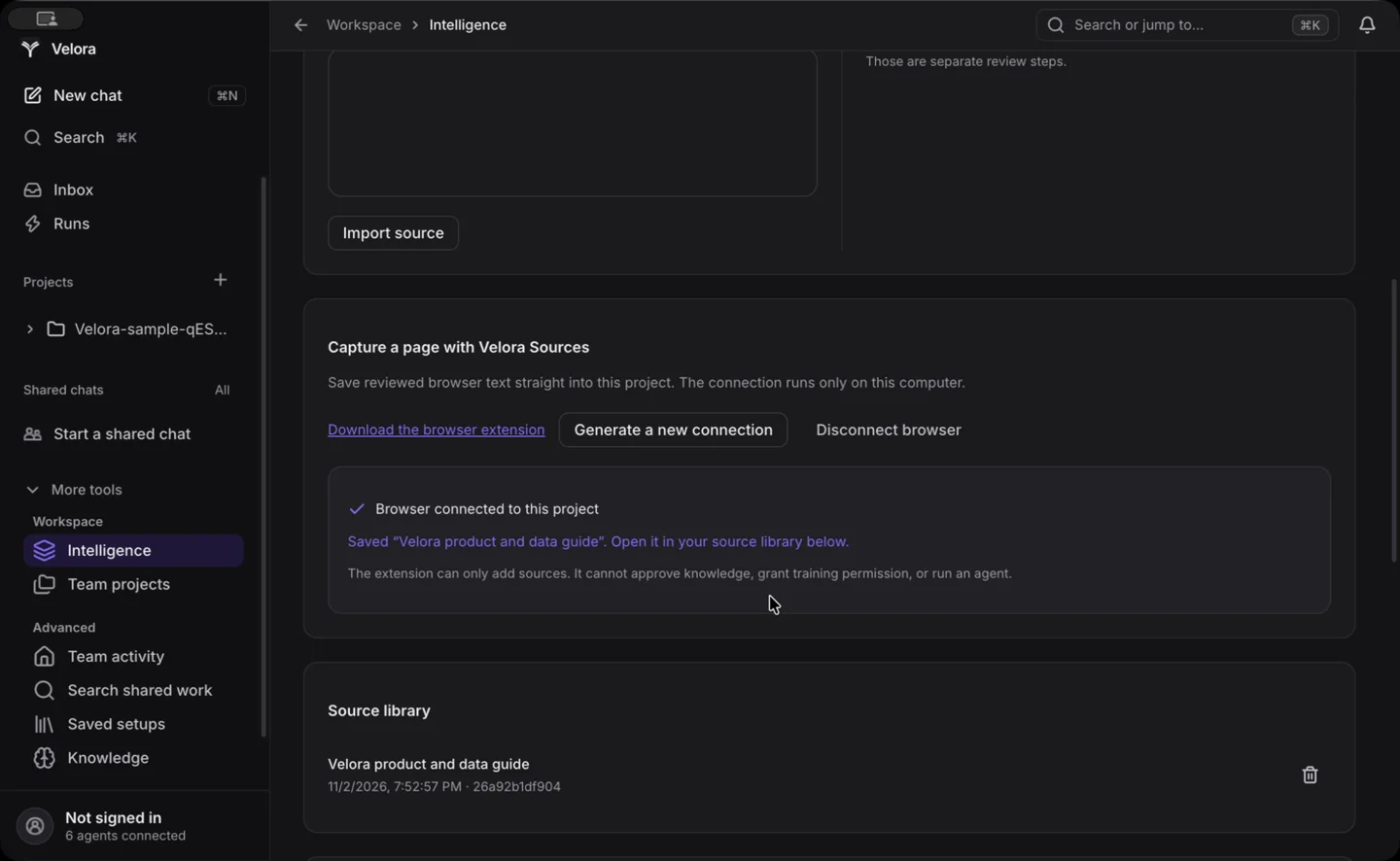
In Velora, choose a project and open Intelligence → Sources → Connect browser. Enter the displayed port and one-time code in the extension. Allow access to the local app. If the permission prompt closes the popup, reopen Velora Sources to finish connecting.
Open a page, click Velora Sources, and choose Preview this page. Edit the captured text, confirm your review, and select Save to Velora. The source appears in your selected project.
Open the source in Velora and propose it as project knowledge. Approve the proposal in Knowledge, then enable approved knowledge in Controls. Training permission and dataset approval are separate steps.
Selected context reaches the model provider you choose when running a task. Use a local provider when your data must stay on your computer.
Read the custom data guide Extension privacy policyDownload SHA-256 checksum